Your strength training

Know what’s next.

Your plan, your sets and your progress. Everything within reach for a focused workout.

Coming soonApp Store

  • No account needed
  • No ads
  • No tracking
  • Free option available at launch

iPhone with iOS 26.5 or later · Optional Apple Watch integration with Pro

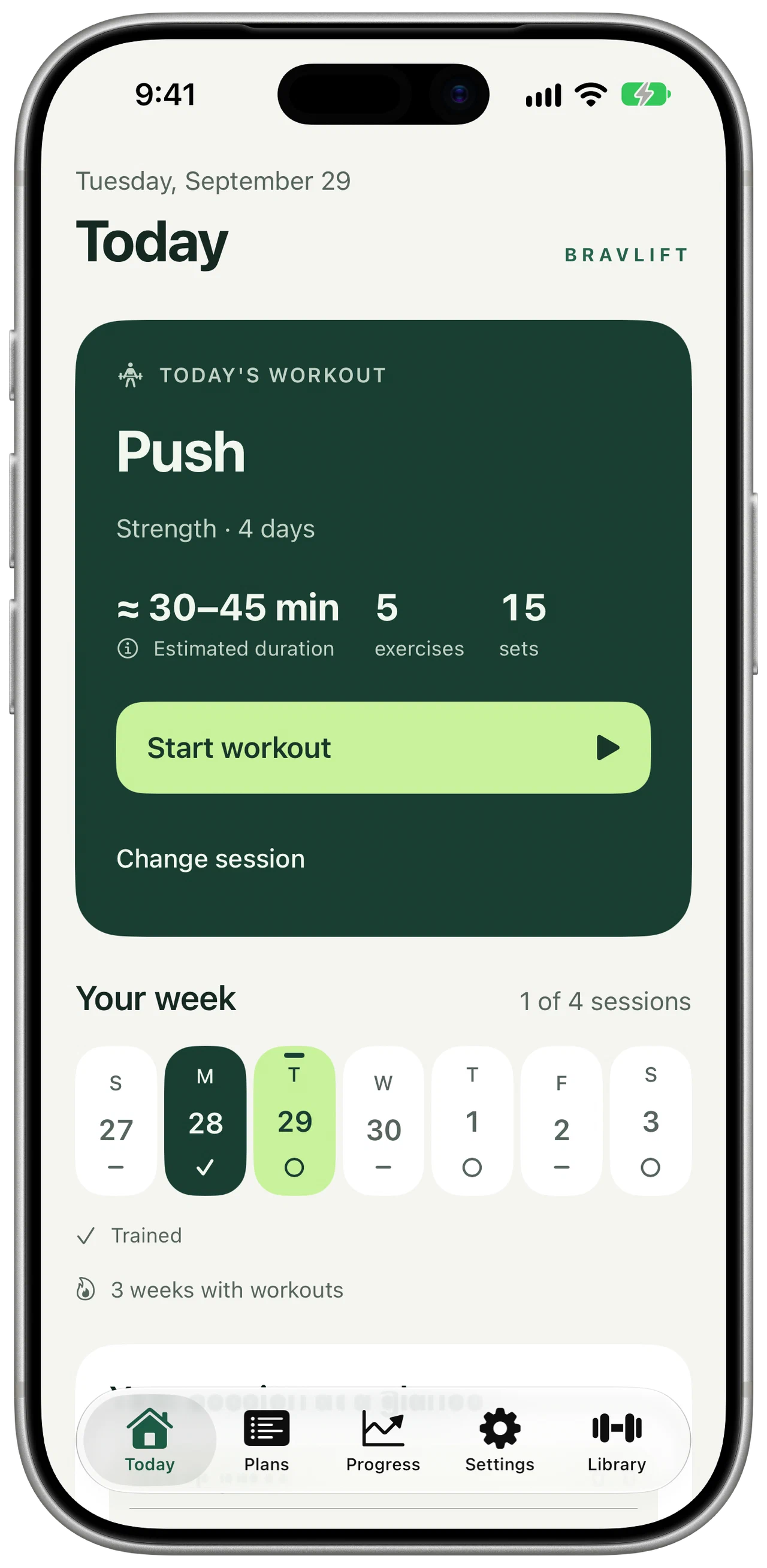
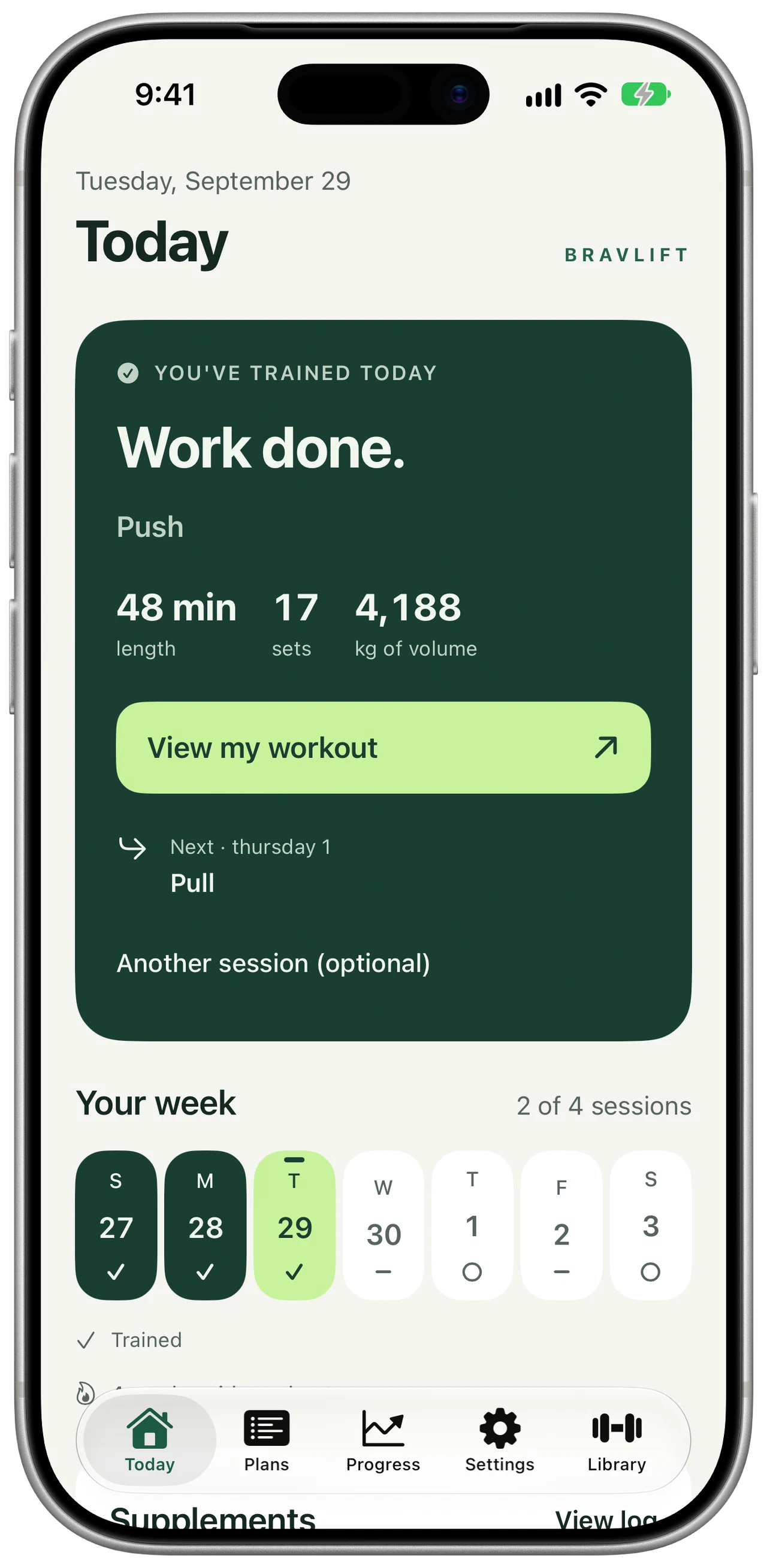
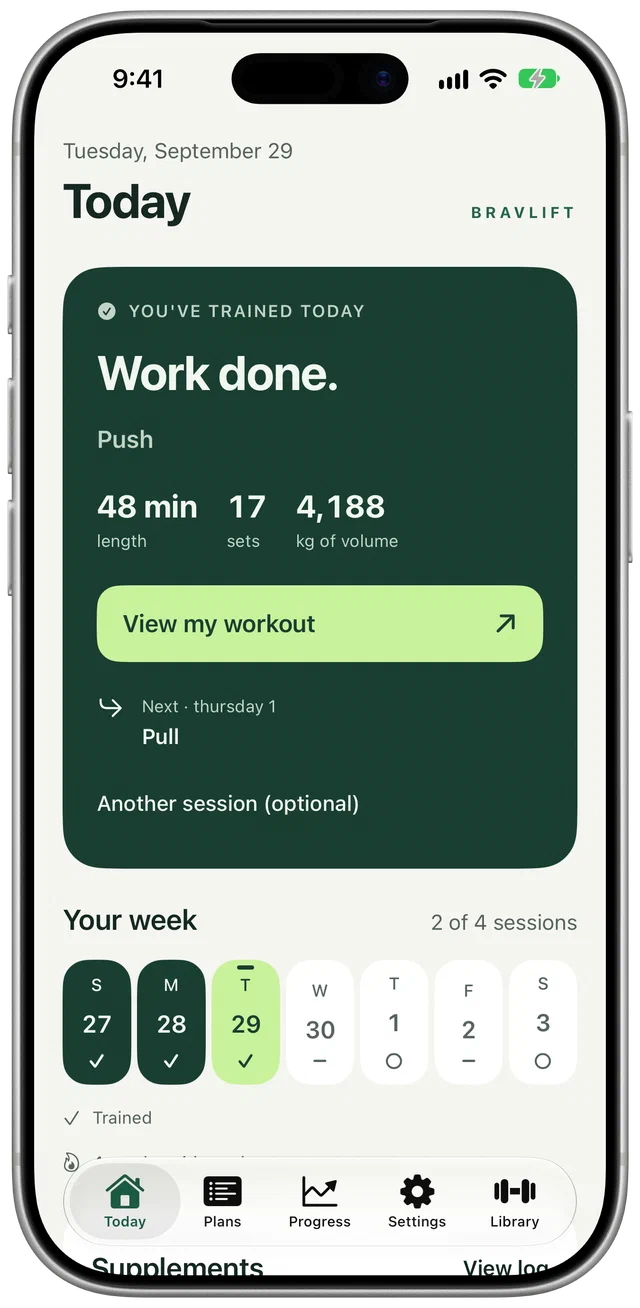
Bravlift’s Today screen, with a push workout ready to start and the week at a glance.

From your plan to your workout

Know the plan. Focus on training.

  1. Build your plan

    Create up to four routines for free and choose exercises from the full catalog.

  2. Open Today

    See your session and your week. Switch routines or pick up an unfinished workout.

  3. Log your work

    Record weight and reps, take your rest and review what you’ve done when you finish.

Want a hand getting started? The Pro assistant suggests a plan based on your goal, equipment and preferences. You review it before saving.

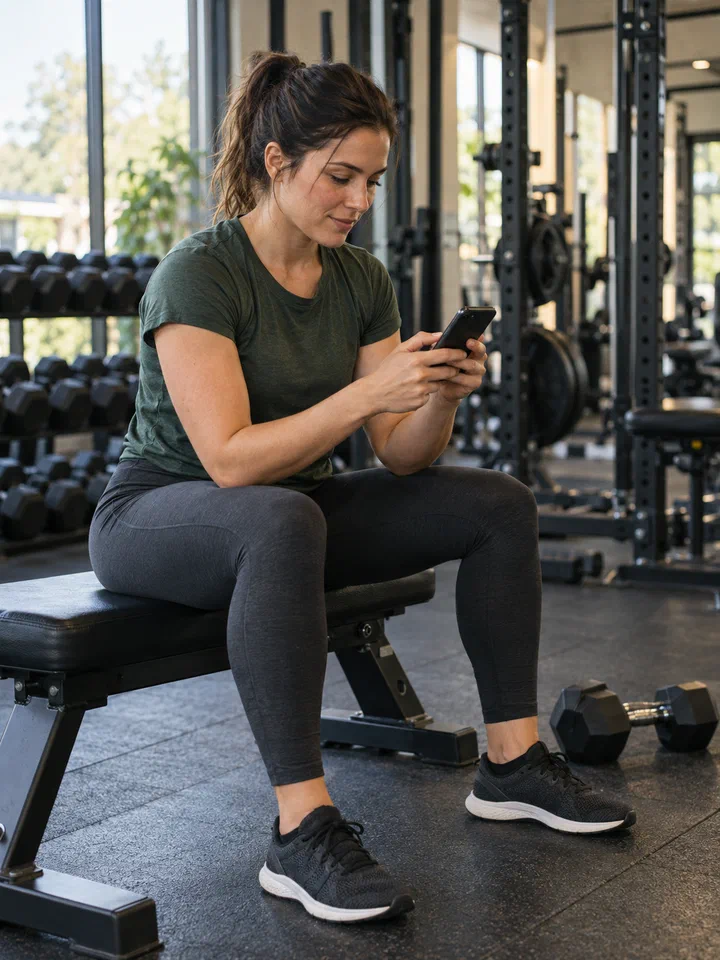
Illustrative scene: a woman checks her phone while sitting on a gym bench between sets.

Training with Bravlift

From your first set to a job well done.

Explore four moments in the app. Pick a step to see what you will have at hand.

Your session, ready to go.

Open Today to find your routine, exercises and estimated duration. Start here or switch to another session.

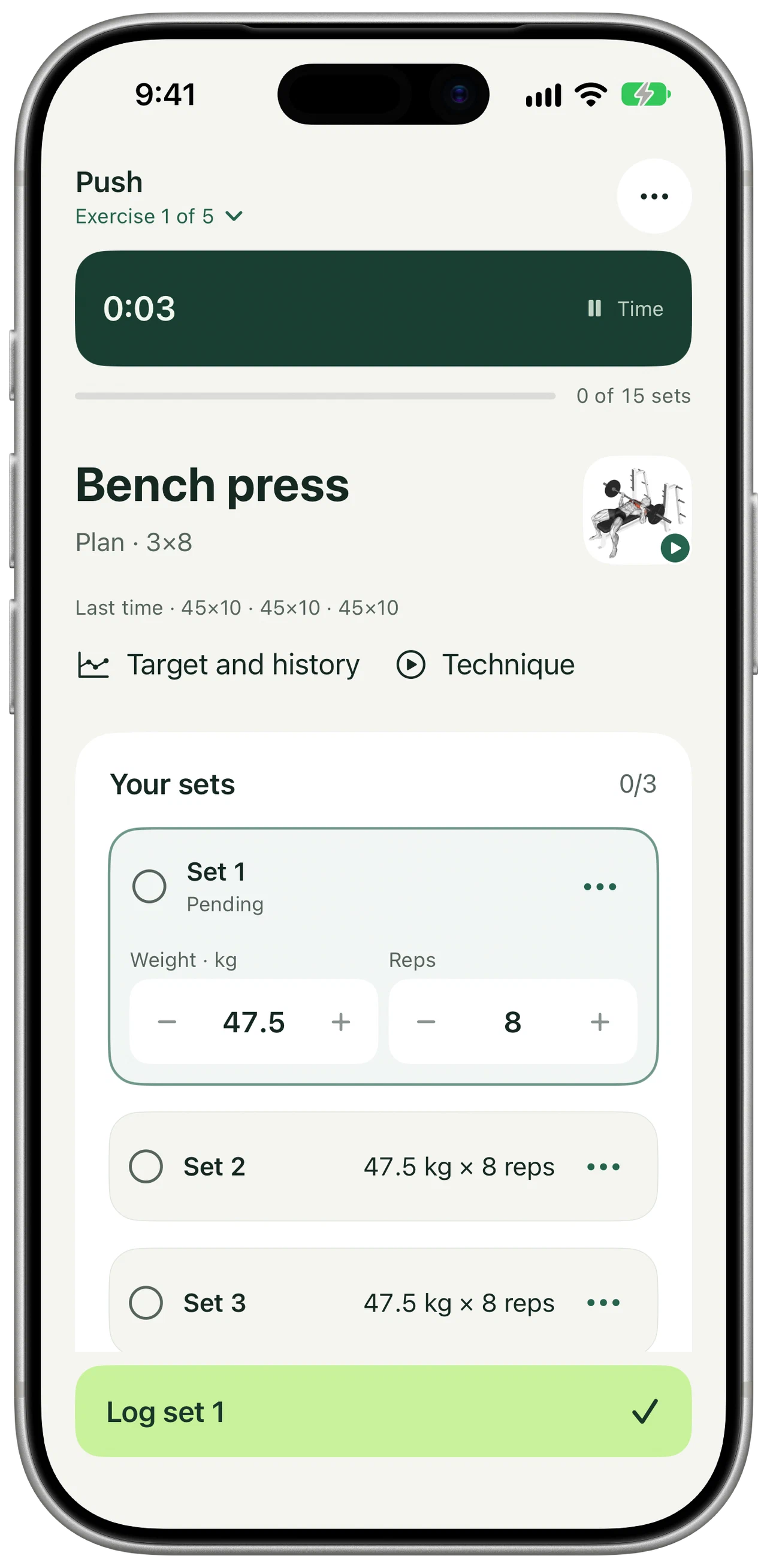
One set. Everything at hand.

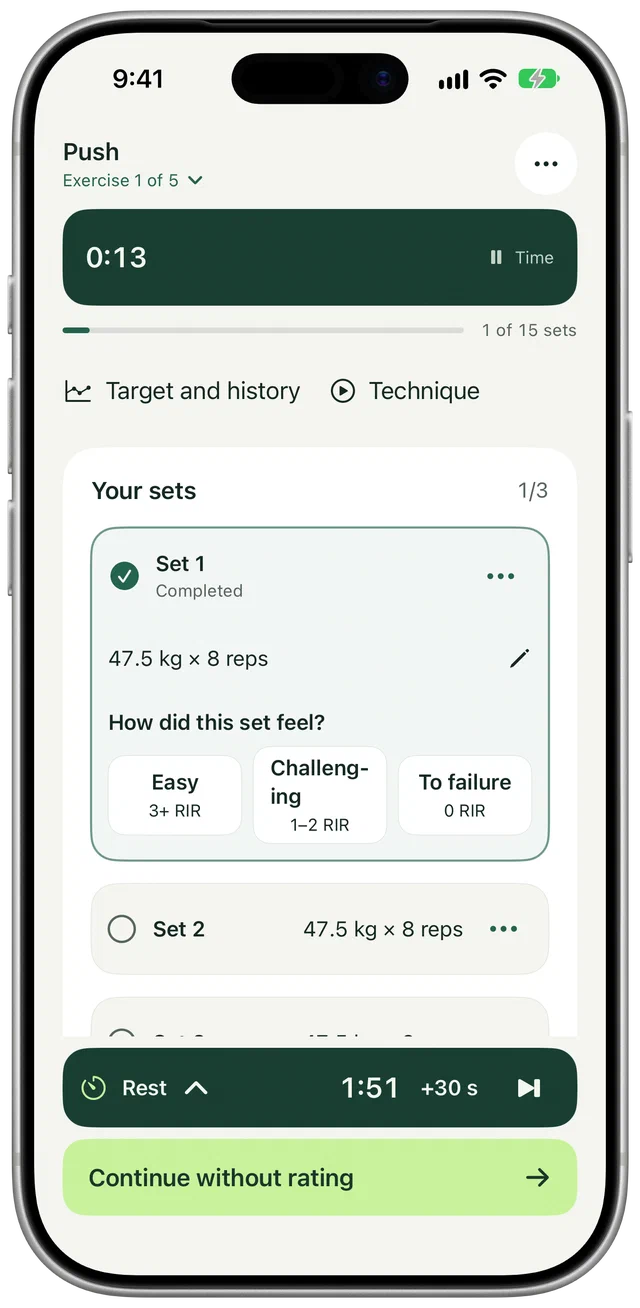
Check your last session, adjust the weight and reps, then log what you did. Technique and targets are on the same screen.

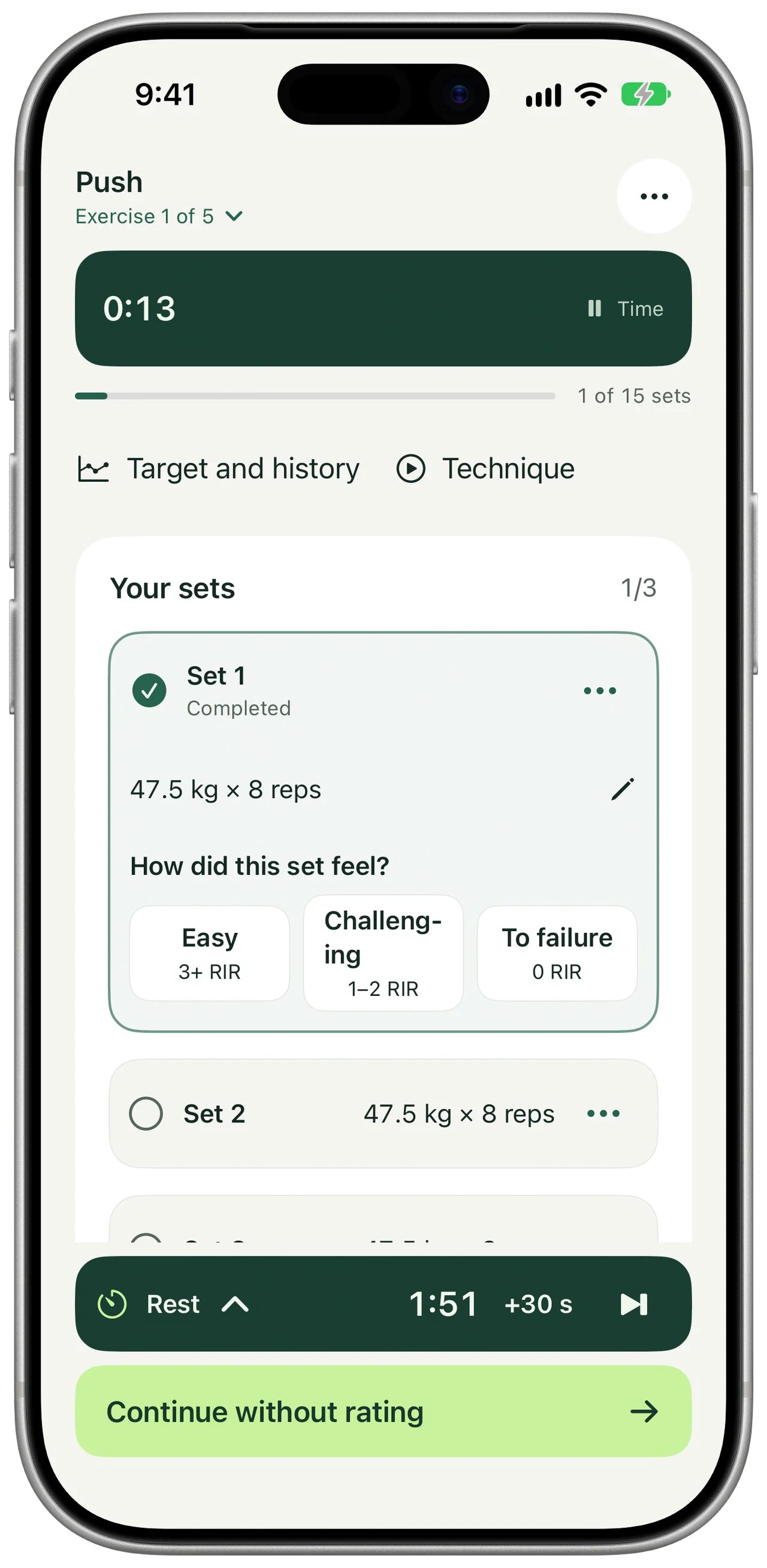
Note the effort. Take your rest.

Logging a set starts your rest timer. Rate it as easy, challenging or at your limit. The timer can also stay with you on the Lock Screen.

Job done. A reference for next time.

Once saved, review your summary and your week. Your next session is in view, and your log gives you a reference when you return.

Real app screenshots with example data.

Free and Pro

Train for free. Choose to go further.

Features included in Bravlift Free and Bravlift Pro
FeatureFreePro
Plans1Unlimited
Routines per planUp to 4Unlimited
Logged sessionsUnlimitedUnlimited
Exercises1,3241,324
HistoryLast monthFull history
Measurements and BMINoIncluded
Plan assistantNoIncluded
Adaptive guidanceNoIncluded
Advanced analysisNoIncluded
Apple WatchNoIncluded
SupplementsNoIncluded

Both include the rest timer, iCloud and backups.

We’re preparing for launch. Pro pricing and terms will be published before you can subscribe. The Free history limit restricts what you can view; it does not delete your records.

Progress

Put your work in perspective.

See your sessions, training time and sets from the last month for free. Find workouts and correct your records when you need to.

  • With Pro, access your full history, charts and advanced analysis.
  • With Pro, also log your weight and body measurements, with their progress and your BMI.
  • Records older than a month are kept even when you use Free.

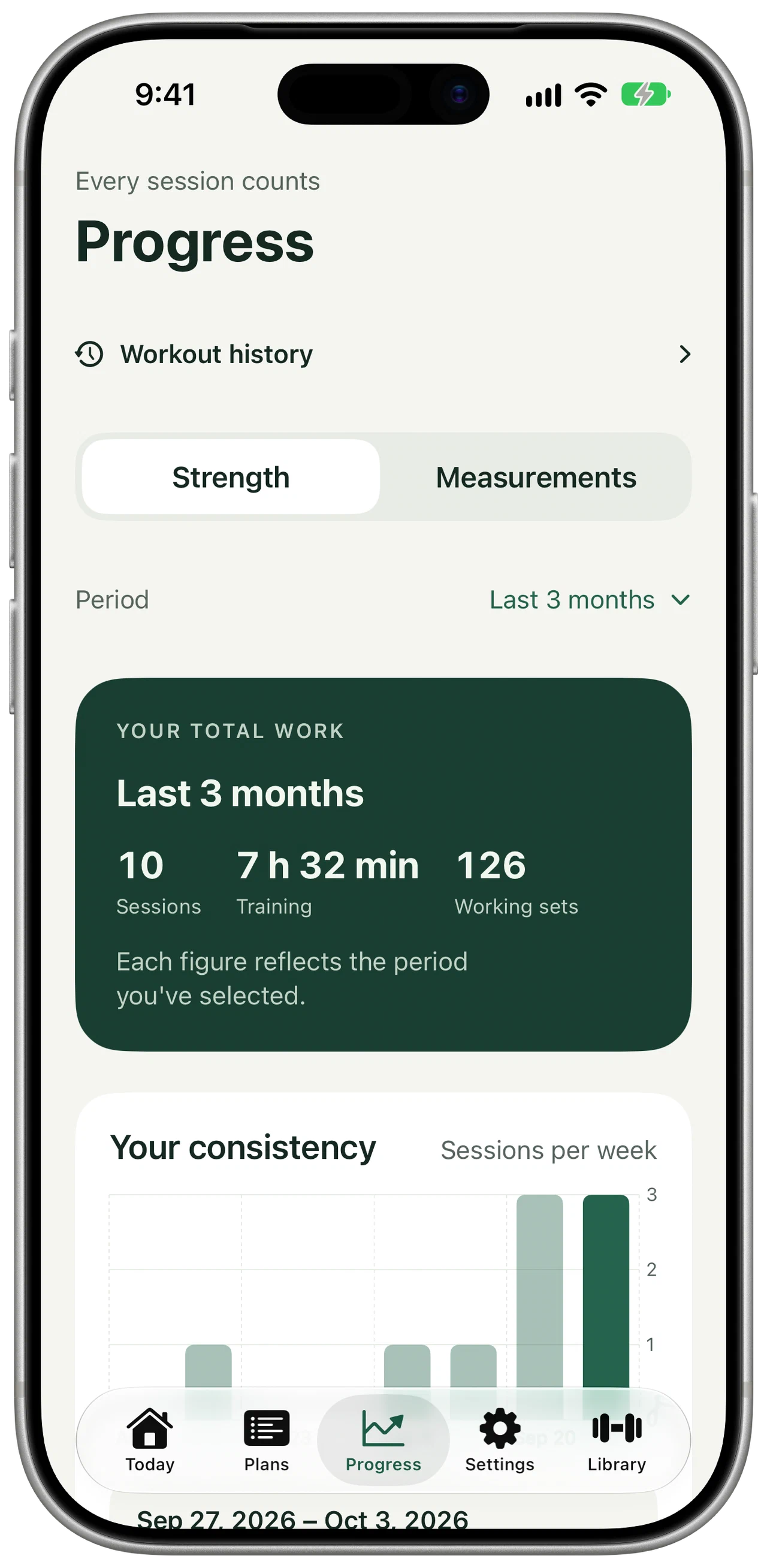
Pro The image shows the three-month view, available with Pro.

Details that make training easier.

A hand with your plan Pro

The assistant suggests exercises and a schedule based on your goal, equipment and preferences. Adaptive recommendations help you review your training load; you decide what to change.

Find your exercise

1,324 exercises with demonstrations and technique guidance. Search in English or Spanish, filter by equipment and save your favorites.

Supplements, on track Pro

Log doses, look back at previous days and keep track of stock and reminders.

Keep your data with you

Sync with your private iCloud when available and export a backup to a file. Useful when you move to a new iPhone, too.

Apple Watch Pro

Your effort, live.

Start your workout on iPhone and see heart rate and estimated calories from your Apple Watch. When you finish, the workout can be saved to Health and appear in Fitness.

  • Heart rate and calories on your iPhone as you train.
  • Active time and session status on your watch.
  • Without Apple Watch, you can still train and log your sets on iPhone.

Requires Bravlift Pro, a paired Apple Watch with watchOS 26 or later, Bravlift installed on the watch and the necessary Health permissions. Readings depend on the connection and available sensor data.

How to connect your Watch
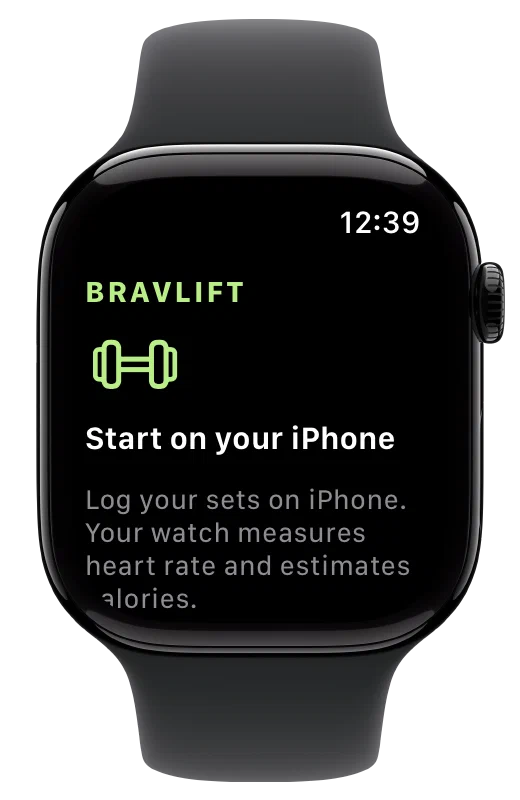
Bravlift’s start screen on Apple Watch. Workouts start from the iPhone.
Start screen · Start from your iPhone

Privacy

Your training. Your data.

Train without a Bravlift account, ads or trackers. Your records are stored on your iPhone and, when iCloud is connected, in your private database.

  • No sign-up

    Your name and photo are optional. You can get started without sharing them.

  • No advertising trackers

    The app has no advertising or analytics tools that follow your activity.

  • Private iCloud

    The Bravlift team cannot access your private iCloud database. Check the sync status in the app.

  • A backup within reach

    Export your data whenever you like. Backups do not include your profile photo or an unfinished workout.

Bravlift Blog

Ideas for your next session.

Explore the blog

FAQ

Before your first set

Can I download Bravlift yet?

We’re preparing for launch on the App Store. No release date has been announced yet. You can check availability updates or contact us through Help.

Do I need an account or an Apple Watch?

No. You can train with just an iPhone running iOS 26.5 or later, without creating a Bravlift account. Apple Watch is optional and its integration is part of Pro.

Can I use Bravlift on Android or in a browser?

Bravlift is being prepared for iPhone, with optional Apple Watch support. There is no Android version or web access to your workouts yet, and no dates have been announced for those platforms. This website introduces the app and provides guides and help.

Does Free limit me to four training days?

You can create up to four routines in one plan and repeat them as often as you like. There is no limit on logged sessions. You can choose exercises from the full catalog.

Does it work offline?

You can train and log sets offline. Animations must be downloaded first and may need a connection if they are no longer stored. iCloud, purchases and some connected features also need internet access.

Can I choose the language and adjust the display?

The interface is available in English and Spanish, and you can choose the language in Settings. The app supports Light and Dark Mode, larger text and VoiceOver. Some exercise names may appear in English.

What happens if I stop using Pro?

When Pro access ends, you can continue using one plan with up to four routines and view your last month of history. Your data is kept, including your measurements. Pro restores access to additional plans and routines, your full history and your measurements.

Does Bravlift replace a professional?

No. It helps you organize and log your training. Its suggestions and estimates do not diagnose conditions or replace professional advice.

We’re getting your next session ready.

Bravlift is coming to the App Store. Check availability and get your questions answered before you start.

Open image